Fantom-Xa

合成采样工作站

Fantom-Xa
停 产

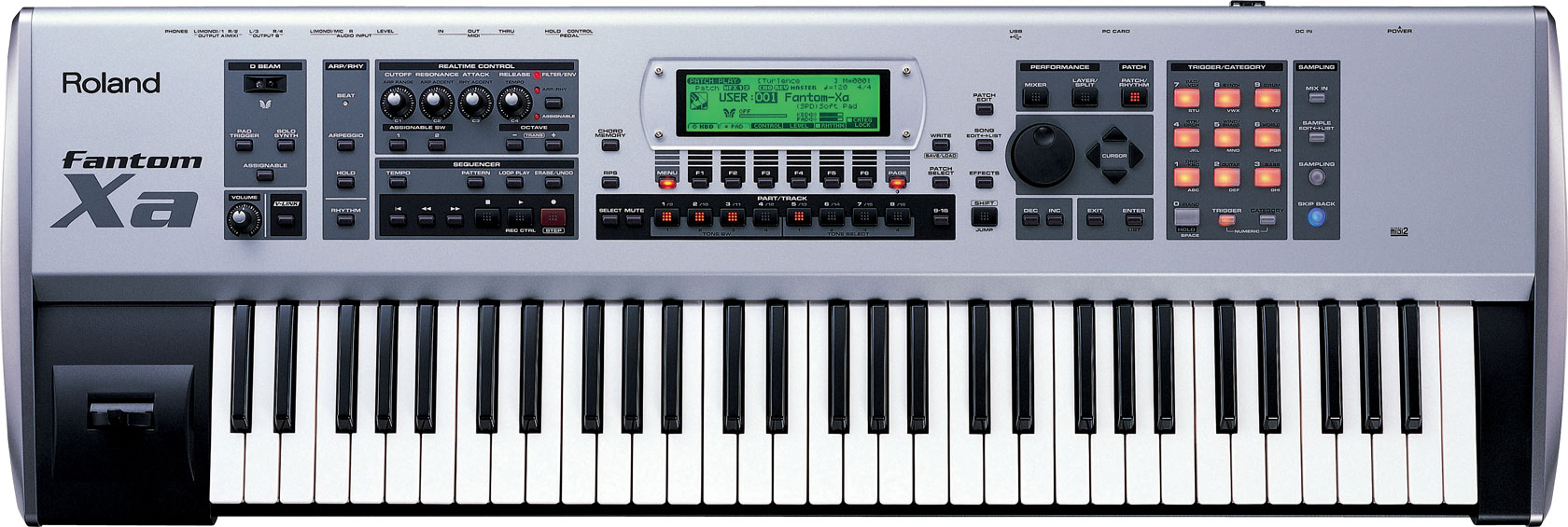
Roland的Fantom-X系列重新定义了采样工作站技术的发展方向。如果你渴望尝试Fantom的强大功能,却又希望有一款更具性价比的设备,Fantom-Xa正是为你设计的,这是一款多功能的采样工作站,并且价格极其诱人。

  • 性价比极高的61键,128复音合成工作站
  • 强大的AUDIO与MIDI功能,并伴有采样实时延展功能
  • 追踪采样功能——使采样工作更加得心应手
  • USB接口兼容MIDI与WAV/AIFF文件,可通过PC/MAC转换
  • 128个全新音色与FANTOM S的预置音色以及内置的波形音色
  • 4兆的采样内存可扩展到516兆,兼容WAV/AIFF
  • 3个综合处理器,外加混响,合唱以及后期处理器
  • 可通过安装一块SRX音色卡进行音色扩充
  • 图形液晶显示器,4个线路输出(2个立体声,一个单声道),以及MIC/立体声输入
  • 完美的录音室效果,后期处理工具以及USB功能

Keyboard
61 keys (with velocity)
Sound Generator Section
Maximum Polyphony
128 voices (shared with the sampling section)
Parts
16 parts
Wave Memory
64 M bytes (16-bit linear equivalent)
Waveforms
1,228
Preset Memory
Patches: 768 + 256 (GM2)
Rhythm Sets: 36 + 9 (GM2)
Performances: 64
User Memory
Patches: 256
Rhythm Sets: 32
Performances: 64
Card Memory (PC card)
Patches: 256
Rhythm Sets: 32
Performances: 64
Effects
Multi-Effects: 3 systems, 78 types
Chorus: 3 types
Reverb: 5 types
Input Effects: 6 types
Mastering Effects: 3-band compressor
Sampling Section
Data Format
16-bit linear (File Type: .WAV/.AIFF)
Sampling Frequency
44.1 kHz (fixed)
Maximum Sampling Time
mono: 47 sec. approx., stereo: 23.5 sec. approx.
*When sampling memory isn’t expanded (4 MB)
mono: 102 min. approx., stereo: 51 min. approx.
*When sampling memory is expanded with DIMM (516 MB)
Number of Samples
User memory: 2,000 (maximum total approximately 4 MB)
Card memory: 7,000 (PC card)
Sequencer Section
Tracks
Phrase tracks (16 MIDI channels per track): 16
Tempo track: 1
Beat track: 1
Patterns: 100
Resolution
480 TPQN
Tempo
5–300
Note Capacity
approx. 400,000 notes
Song Length
9,998 measures
Recording Method
Realtime recording, Step recording
Others
Arpeggiator
Preset: 128
User: 128
Rhythm Pattern
Preset: 256 (32 groups)
User: 256 (32 groups)
Chord Memory
Preset: 64
User: 64
Display
240 x 64 dots graphic LCD (with backlit)
Pad Buttons
10 pads (Trigger/Category Selection/Numeric Keys)
Controllers
Pitch Bend/Modulation Lever
Control Knob x 4
Assignable Switch x 2
D Beam Controller
Connectors
Headphones Jack
A (MIX) Output Jacks (L/MONO, R): 1/4 inch phone type
B Output Jacks (L, R): 1/4 inch phone type
Input Jacks (L/MONO/MIC, R): 1/4 inch phone type
Hold Pedal Jack (Half Pedal recognition)
Control Pedal Jack (assignable)
MIDI Connectors (IN, OUT, THRU)
USB Connector (supports file transfer and MIDI)
AC Adaptor Jack
Expansion Slots
â?¢ Expansion of waveforms and patches for the internal sound generator
SRX expansion board: 1 slot
â?¢ Expansion of sampling memory
DIMM: 1 slot (supports 128 MB, 256 MB, 512 MB (3.3 V))
External Storage Device
PC Card: 1 slot (supports SmartMedia and CompactFlash using
a PC card adaptor)
Power Supply
DC 9 V (AC Adaptor)
Current draw
1200 mA
Accessories
Owner’s Manual
CD-ROM (Editor, USB MIDI driver)
PC Card Protector
AC Adaptor (PSB-1U)
Options
Wave Expansion Board: SRX Series
Keyboard Stand: KS-12
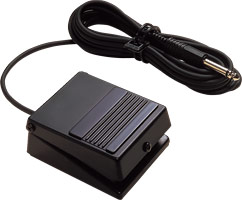
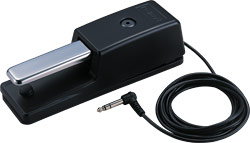
Pedal Switch: DP-2, DP-8
Foot Switch: BOSS FS-5U
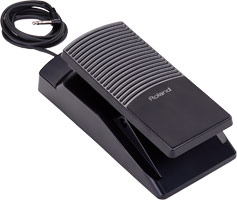
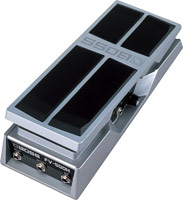
Expression Pedal: EV-5
Size and Weight
Width
1,065 mm
41-15/16 inches
Depth
358 mm
14-1/8 inches
Height
114 mm
4-1/2 inches
Weight
10.9 kg
24 lbs. 1 oz.
*The specifications are subject to change without notice.

下载

手册

更新 & 驱动

  • Fantom-X Driver Version 1.0.0 for Windows Vista 32-bit Edition

    For Product(s): Fantom-X6 / Fantom-X6 Audio Track Expansion / Fantom-X7 / Fantom-X7 Audio Track Expansion / Fantom-X8 / Fantom-X8 Audio Track Expansion / Fantom-XR / Fantom-XR Sample Tools Expansion

  • Fantom-X Driver Version 1.0.0 for Windows Vista 64-bit Edition

    This is the Fantom-X6/X7/X8 driver for Microsoft(R) Windows(R) Vista(TM) 64-bit Operating Systems.

  • Fantom-X Series USB Driver v1.0 for Mac OS 10.6

    This is the USB driver for Mac OS X 10.6 (Snow Leopard).

  • Fantom-X Series USB Driver v1.20 for Mac OS 10.5 and Earlier

    This is the USB driver for Mac OS X 10.5 (Leopard) and earlier.

  • Fantom-XA System Update Version 1.05

    This is the latest operating system for the Fantom-XA. Please read the readme.pdf document for the update procedure.


    This update resolves USB Storage related issues. This update also resolves a timing issue within the sequencer.


    NOTE: The update files that you download and save to your computer from the link above are enclosed in a

    compressed zip file. These files will need to be extracted from the zip file before you can burn them to a CD.
    You can do this by using the WinZip application on your PC running Windows XP, or by using Stuffit Expander on your

    Macintosh (needed for OS 10.2.x or below). If you're using Mac OS X 10.3.x or above, then you will not need Stuffit

    Expander.


    When you double-click on the downloaded file that you saved to your computer, WinZip or Stuffit Expander should startup

    automatically. If you do not have WinZip (PC) or Stuffit Expander (Mac) installed, then you must download it, install

    it, and extract/unzip the update files folder before you can complete the update procedure.


    You can get WinZip from the following link:http://winzip.com


    You can get Stuffit Expander from the following link:
    href=http://www.stuffit.com/mac/expander/>http://www.stuffit.com/mac/expander/

  • Fantom-X USB Drivers (MAC Classic)

    Use this driver for Macs running OS 8.x and 9.x.

  • Fantom-X USB Drivers (PC)
  • Fantom-X Editor Version 1.53 (PC)

    Fantom-X Editor/Librarian for Fantom-XA and Fantom-X6,7,8,XR running version 1.
    Version 1.53 of the editor adds compatibility for the SRX-12 Expansion Board.

  • Fantom-X Editor Version 1.53 (MAC)

    Fantom-X Editor/Librarian for Fantom-XA and Fantom-X6,7,8,XR running version 1.
    Version 1.53 adds compatibility with the SRX-12 Expansion Card.

  • SRX-03 Refill Patches for Fantom-X/S

    Originally, this is intended for Fantom-S Series, however it can be convert loaded to Fantom-X Series by means of Fantom-X Editor software. Please refer to "readme" documents for further details.

    For Product(s): Fantom-X6 / Fantom-X7 / Fantom-X8 / Fantom-XR / Fantom-Xa / SRX-03 / Fantom-S / Fantom-S88

  • SRX-04 Refill Patches for Fantom-X/S

    Originally, this is intended for Fantom-S Series, however it can be convert loaded to Fantom-X Series by means of Fantom-X Editor software. Please refer to "readme" documents for further details.

    For Product(s): Fantom-X6 / Fantom-X7 / Fantom-X8 / Fantom-XR / Fantom-Xa / SRX-04 / Fantom-S / Fantom-S88

  • Clean-All USB Driver Utility

    This utility clears out all Roland USB Windows drivers and should be used if you are having difficulty installing your USB driver.

    Note: You will have to reinstall the drivers for any other Roland device that is using a USB connection for Audio or MIDI.
技术支持

支持

如果您在使用Roland、BOSS、V-MODA产品遇到问题时请通过电话或者Email联系我们。
此外,我们为您提供了技术支持文档供您下载及参考,如果该产品提供支持文档,将在下面以列表显示。

用户手册

支持文档